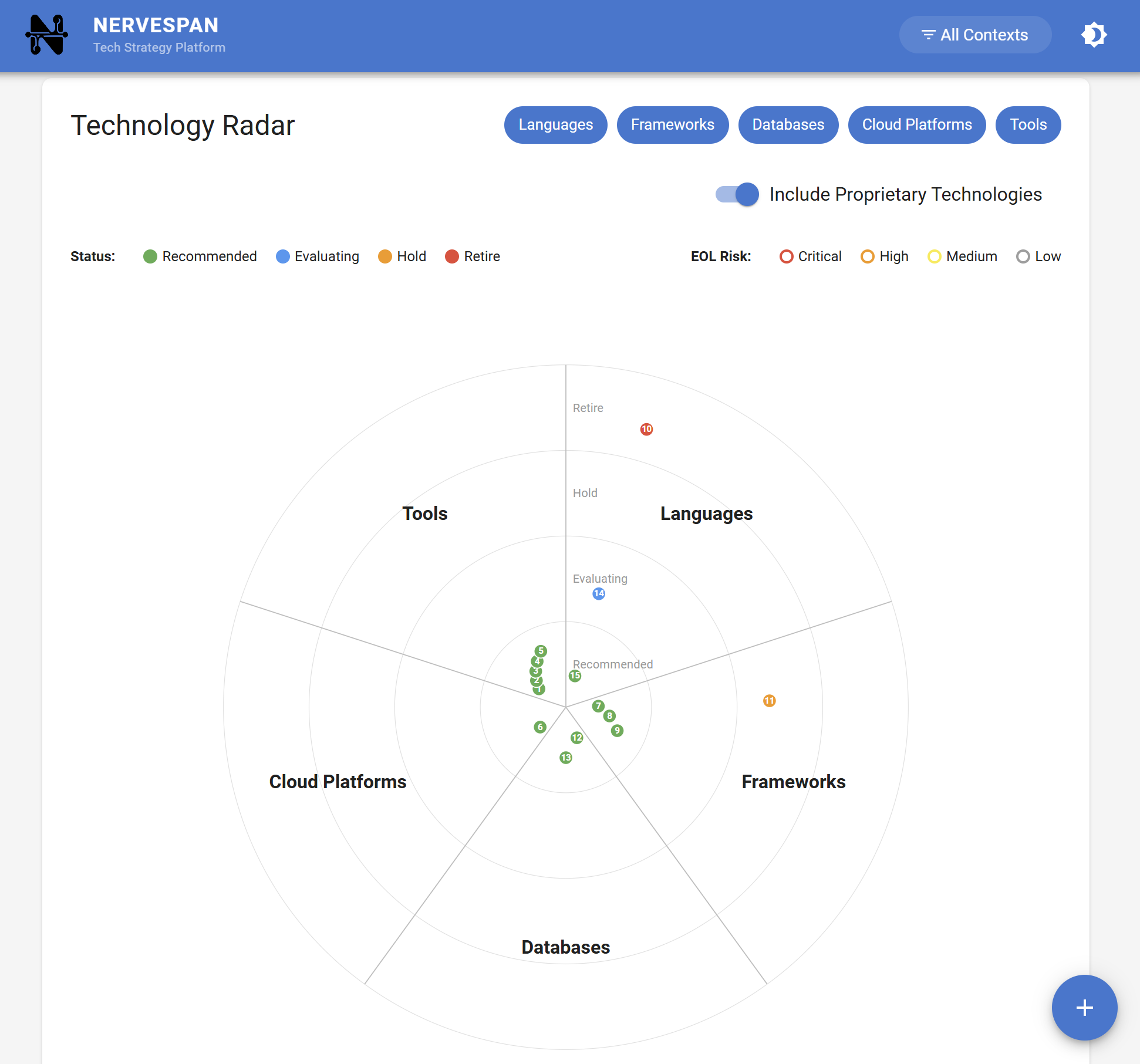
Many organizations use color-coded Tech Radars to categorize technologies into Adopt, Trial, Assess, and Hold, presenting this as their architectural strategy.
However, if your Tech Radar isn't linked to real-time metrics, it's just a wish list. This gap causes the strategy to fail in execution. To better understand why this happens, let's explore the gap between strategy and execution.
The "Strategy-Execution" Gap
Many organizations maintain outdated strategies. For example, a legacy framework may be placed on Hold, yet new services continue to use it for convenience. Additionally, ADRs often remain unnoticed in repositories until issues arise.
The problem isn't documentation; it's misalignment between strategy and daily operations, which makes static approaches ineffective. Let's examine the limitations of static Radars in more detail.
Why Static Radars Fail
- Lack of Impact Data: A Radar indicates which technologies to use, but does not provide information on the cost of delay for technologies that have not yet been migrated.
- Limited Visibility: Developers are unlikely to consult documentation if it requires leaving their workflow.
- No Integration with Scorecards: Technologies marked as "Hold" should actively signal risks to system health, rather than remaining in a static category.
The Solution: Living Architecture with Nervespan
Nervespan transforms your technology strategy from a static representation into a dynamic signal. Rather than maintaining a separate Radar, your technology lifecycle data is integrated with your existing metrics. Nervespan connects with your current monitoring platforms and CI/CD pipelines through lightweight connectors, enabling you to synchronize architectural decisions and technology status directly from your systems with minimal setup.
Automated Risk Signaling: When a component uses a technology marked as "End-of-Life" or "Hold," Nervespan reflects that risk in the Composite Health Score, which aggregates system health across key dimensions. Leaders can quickly identify where outdated or unsupported technologies increase the risk of outages or slowdowns.
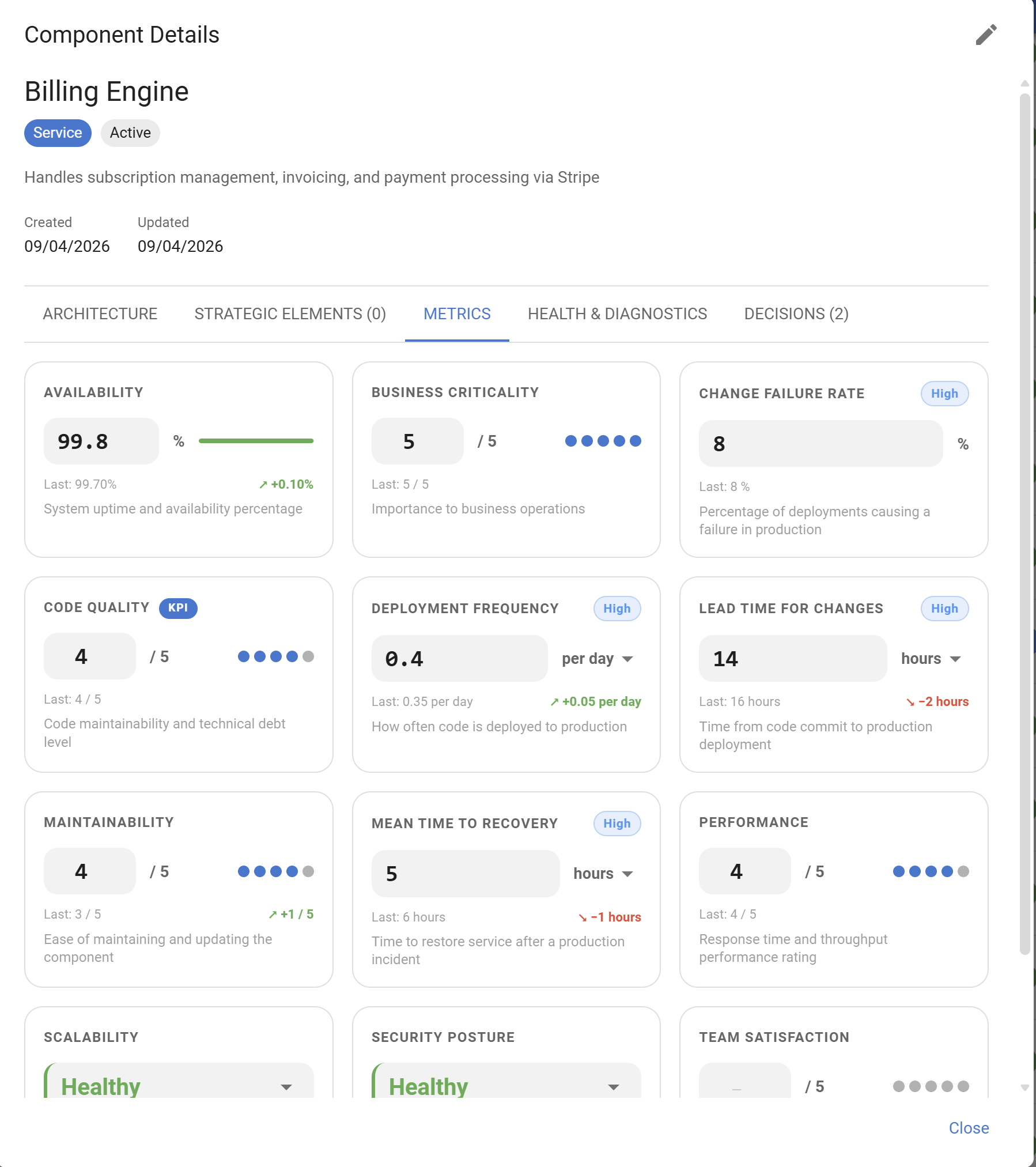
Strategy in Context: If there is a spike in Lead Time for Changes, you can immediately determine whether the affected component relies on a technology flagged for replacement.
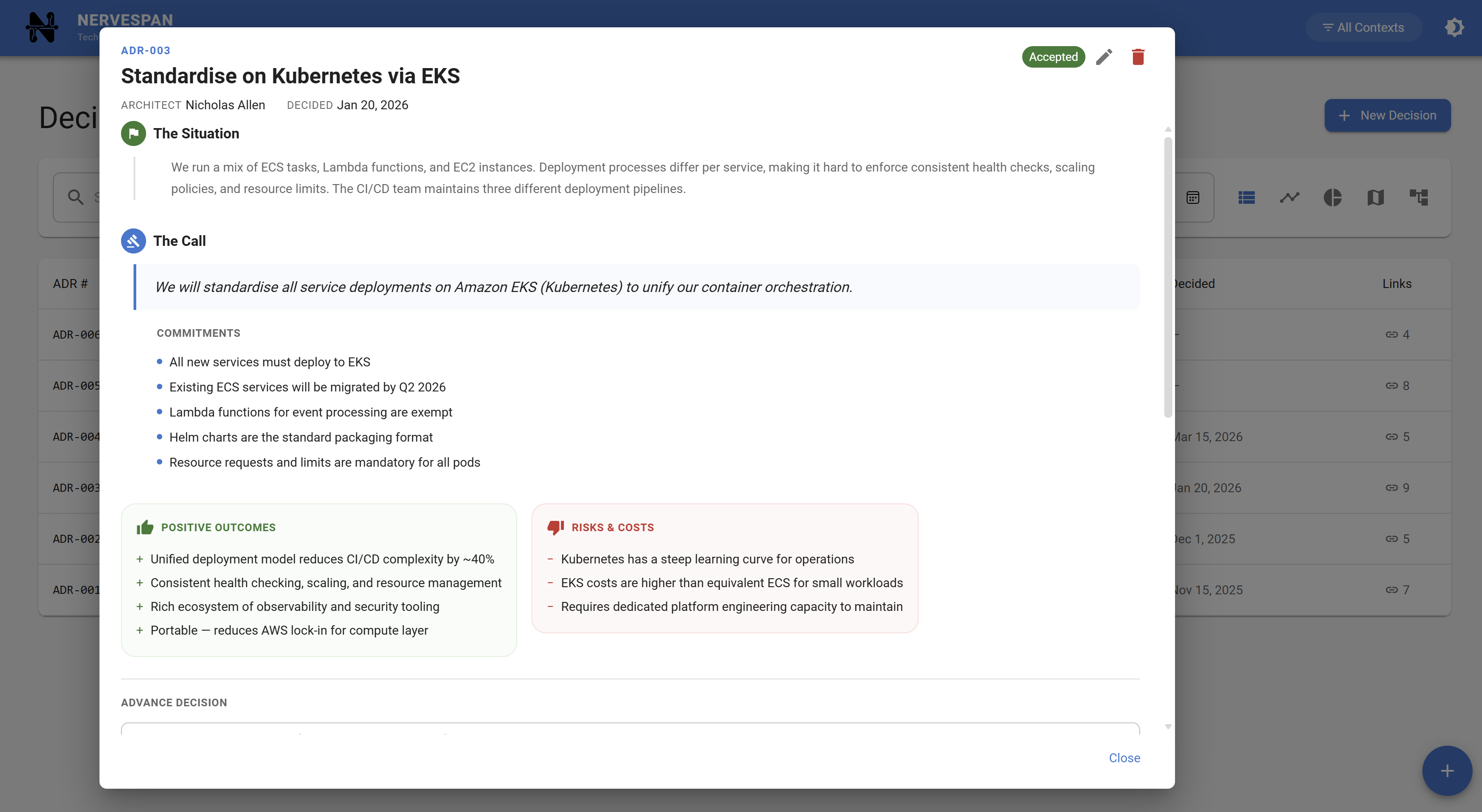
Decisions That Stick: ADRs and strategic elements are integrated into Component Details, making the rationale behind each decision visible alongside its current performance.
The Busy Leader Takeaway
Avoid treating your Tech Radar as a theoretical exercise.
- Connect the Dots: Use Nervespan to link your Technology Lifecycle data directly to your architectural audit. For example, if a messaging library is marked as "Hold" in your Tech Radar, Nervespan will automatically flag any critical service using that library and identify the affected components. During quarterly reviews, leaders can quickly access a list of services running on deprecated technologies, making it easier to prioritize remediation and facilitate informed discussions about risk and resource allocation.
- Make Debt Visible: Even if your DORA metrics are classified as "Elite," an aging technology stack indicates increased risk over time.
- Be Proactive: Use the Health Setup Wizard to embed your standards into daily operations, enabling you to identify imbalances before they result in outages.
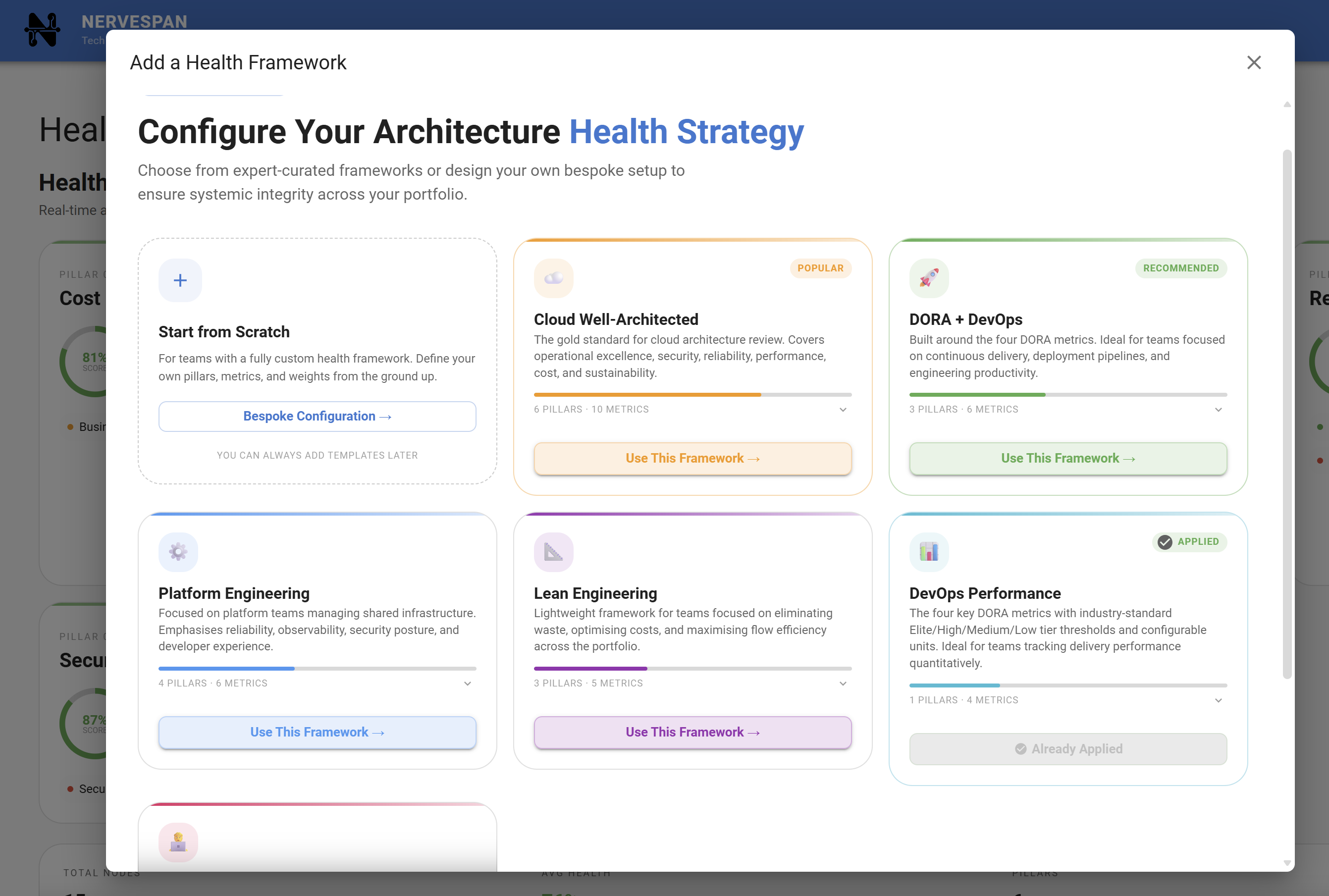
The objective is not to have the most visually appealing Tech Radar, but to implement a strategy that effectively governs your codebase.
Ready to make your technology strategy operational?
nervespan helps CTOs and architects plan, manage, and communicate technology strategy with confidence.
Start Free Trial